


Having good pages and not being able to rank is a problem that is typically the experience rather than the content. Core Web Vitals hit the performance, usability, and SEO at the intersection and transform the way the users experience your site into the type of metrics that search engines can analyze on a large scale.
What Are the Core Web Vitals and Why They Are Important
The performance metrics utilized by Google to evaluate real world page experience are called Core Web Vitals. They are measurements of the speed of content loading, the responsiveness of a page, and the stability of layouts during the interaction.
Although they fall under a wider range of page experience signals, Core Web Vitals are the most weighty since they are user-focused and measurable across millions of visits.
To put it simply, they are responding to three questions:
- How fast does the main content load?
- How quickly can users interact?
- Does the page jump around as it loads?
Even brilliant content can lose ground because of failure in any of these areas.
Google Rankings and Core Web Vitals
Core Web Vitals do not represent an enchanting flipping switch. Where the content relevance is close, a superior experience is prone to prevail.
They can be used to boost rankings by:
- enhancing crawl efficiency and engagement
- decreasing bounce rates and pogo-sticking, and
- promoting rankings stability after updates.
They also shape user trust. Slow, jumpy pages do not feel trustworthy; fast and stable pages do—especially when viewed through the lens of Search Experience Optimization (SXO).
The Three Core Web Vitals Metrics
Largest Contentful Paint (LCP)
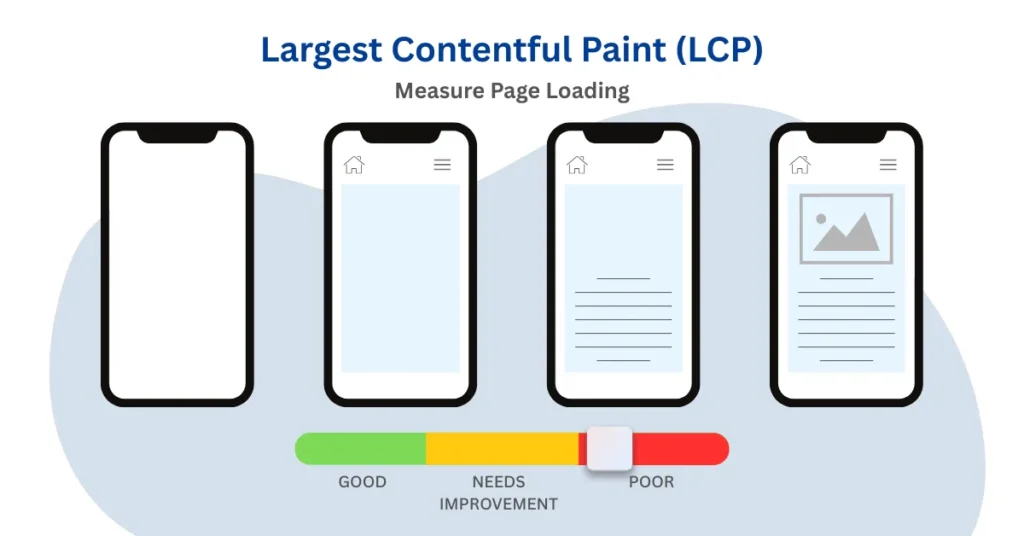
LCP is a measure of the time that it requires to load the primary content element, which is usually a hero image, featured image, or a large text block.
Why it matters:
- It defines perceived loading speed.
- Slow LCP makes pages feel broken or unfinished.
The most typical LCP problems are bulky images, slow servers and render blocking CSS.
Interaction to Next Paint (INP)
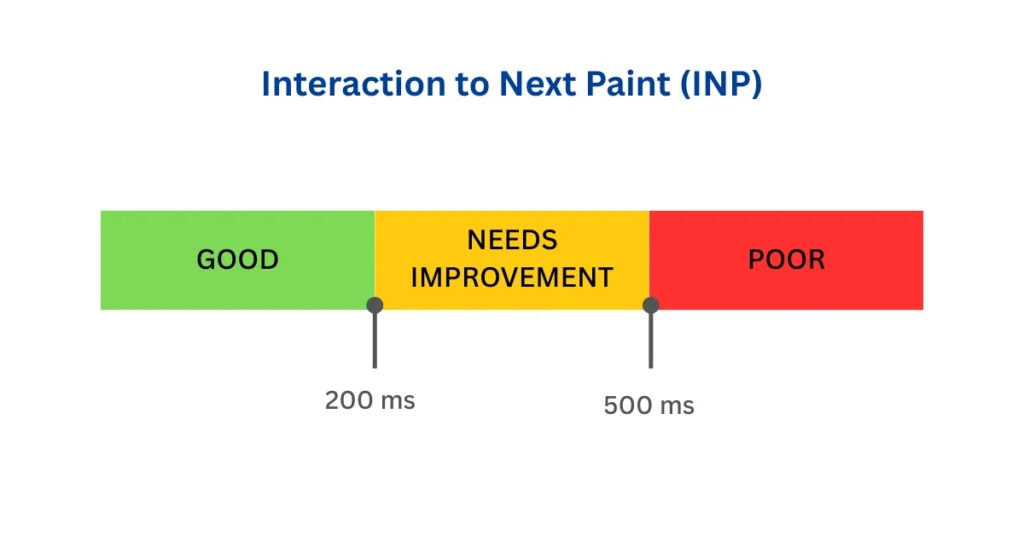
INP is a measure of the responsiveness of a page to user gestures such as clicks or taps during the session.
Why INP matters:
- It reflects real interaction delays.
- High INP makes sites feel laggy even after loading.
The most common culprit here is JavaScript overload.
Cumulative Layout Shift (CLS)
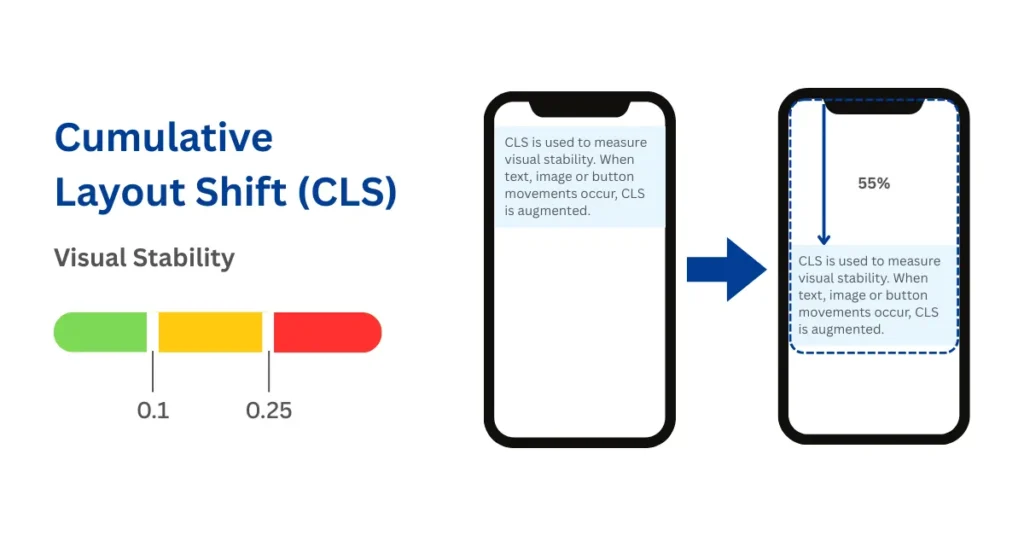
CLS is used to measure visual stability. When text, image or button movements occur, CLS is augmented.
Why CLS matters:
Unexpected movements baffle the user,
It causes unintended clicks, and worsen UX.
Missing image dimensions and delayed advertisements loading leads to CLS issues.
Core Web Vital Thresholds You Must Aim
| Metric | Good | Needs Improvement | Poor |
|---|---|---|---|
| LCP | ≤ 2.5s | 2.6–4.0s | > 4.0s |
| INP | ≤ 200ms | 201–500ms | > 500ms |
| CLS | ≤ 0.1 | 0.11–0.25 | > 0.25 |
These thresholds are derived from actual user data, and not only lab tests.
LCP vs INP vs CLS: What Each Metric Really Measures
| Metric | Focus Area | Measures | SEO Impact |
|---|---|---|---|
| LCP | Loading | Main content speed | First impression |
| INP | Interactivity | Response delay | Engagement |
| CLS | Stability | Visual movement | Trust & usability |
It is not enough to optimize only one. The best way that Core Web Vitals optimization can be achieved is when the three are collectively enhanced.
How to Measure Core Web Vitals Correctly
PageSpeed Insights
PageSpeed Insights is the best place to start because it is a combination of lab data and a field analysis.
Use it to:
- View the pass/fail status and
- what specific elements are influencing LCP or CLS.
Chrome UX Report (CrUX)
Chrome UX Report provides performance data of real users at scale. It assists in:
- the monitoring of the trends over time
- validating the fixes across devices
Lighthouse
Lighthouse is perfect for debugging. It operates controlled testing and also demonstrates opportunities related to code and assets.
Common Core Web Vital Problems and Solutions
| Issue | Metric Affected | Practical Fix |
|---|---|---|
| Large uncompressed images | LCP | Use next-gen formats, preload hero images |
| Heavy JavaScript | INP | Defer non-critical JS, break long tasks |
| Layout jumps | CLS | Set width/height for media |
| Slow hosting | LCP | Upgrade server or use CDN |
| Third-party scripts | INP, CLS | Load after interaction or delay |
Such fixes tend to be incremental; small improvements compound.
Core Web Vitals Optimization Checklist
Use this as a working checklist during audits:
Loading (LCP)
- Optimize hero images
- Enable server‑side caching
- Use a CDN
- Preload key resources
Interactivity (INP)
- Reduce JavaScript execution time.
- Split long tasks
- Delay third‑party scripts
- Use passive event listeners
Stability (CLS)
- Define image and video dimensions.
- Never put the content above the fold.
- Reserve space for advertisement and embeds.
Common Core Web Vitals Pitfalls to Avoid
- Pursuing lab scores without the actual-user data.
- Over-optimizing desktop while ignoring mobile.
- Removing functionality just to pass scores
- Taking CWV as a single exercise.
Core Web Vitals are not about fast solutions, but continuous work.
How Core Web Vitals Fit Into a Broader SEO Strategy
Core Web Vitals support:
- Better crawl efficiency
- Higher engagement signals
- Stronger conversion performance.
They work best alongside a broader Search Experience Optimization (SXO) approach that focuses on how users actually interact with your site. Core pillars of this approach include:
- Solid technical SEO
- Well-defined information architecture.
- Relevant, helpful content
Final Thoughts
Core Web Vitals are concerned with the time and attention that the users have. All the efforts to enhance the speed of loading, responsiveness, and aesthetic stability of the site automatically increase rankings as they keep users on site, interact, and convert.
Test your Core Web Vitals today.
Improve page experience for better rankings, retain users, and achieve actual growth.
FAQs: Core Web Vitals
Yes, but modestly. They become differentiators in case of similarities in content relevance.
Yes. INP substitutes FID and reflects real interaction delays to be more accurately.
Monthly for active sites. Weekly during major redesigns or changes.
Yes. Mobile performance typically defines success because thresholds are stricter.
They will assist, although optimization at a code-level can provide bigger benefits.
Report with PageSpeed Insights, debug with Lighthouse, and validate with CrUX.